Every car, where it is and where it’s been.
Ruta is a plug-in tracker and an app for rental hosts with a few cars. See each car live, every trip it took, and get a push when it’s speeding, low on fuel or unplugged.
Shop the tracker
What you’ll see in the app.
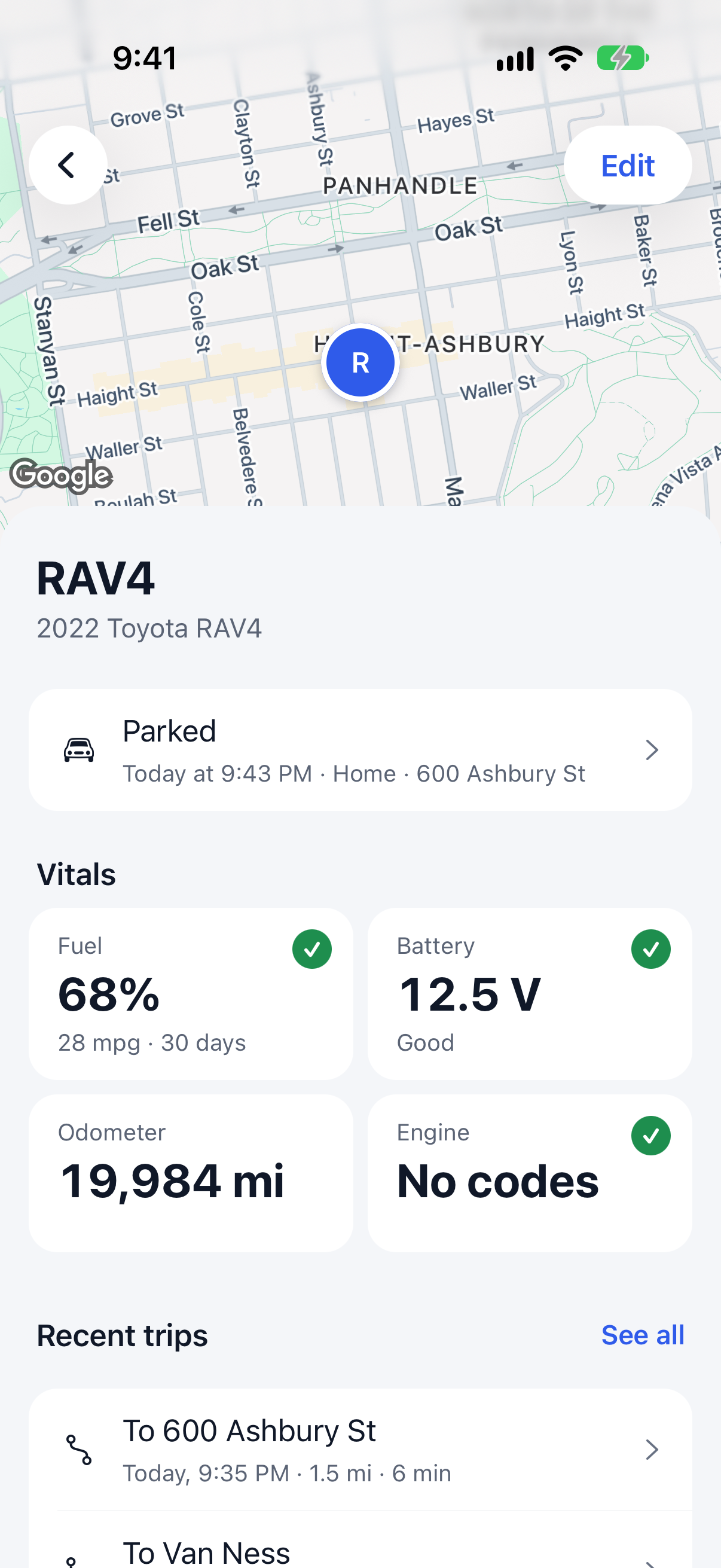
Live map
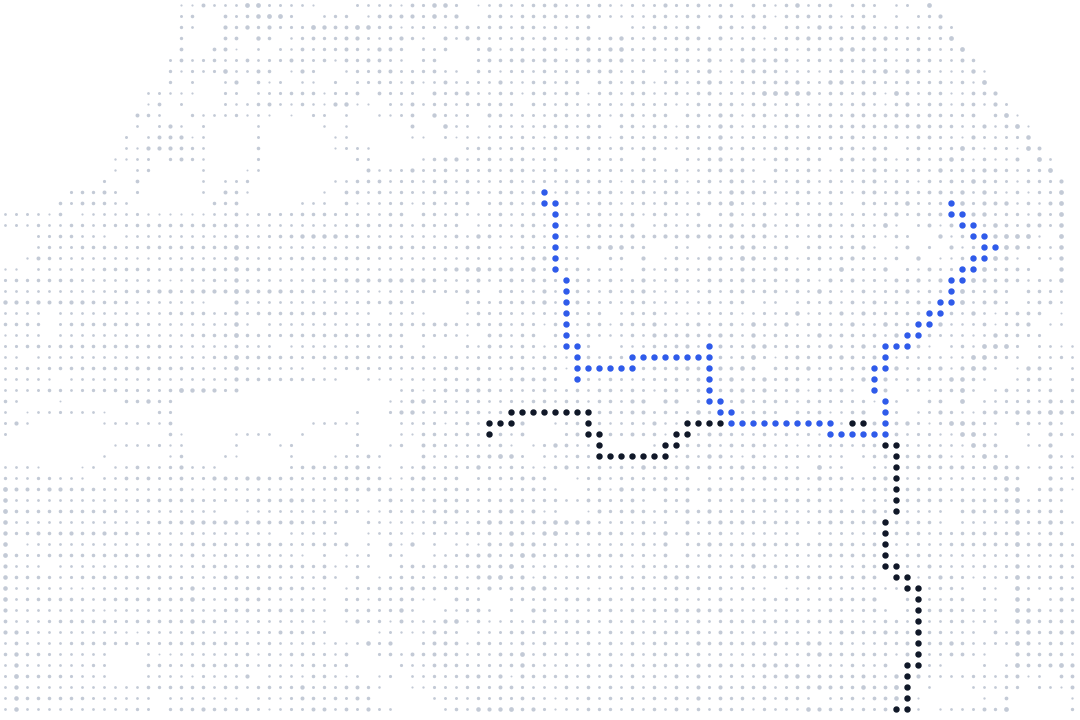
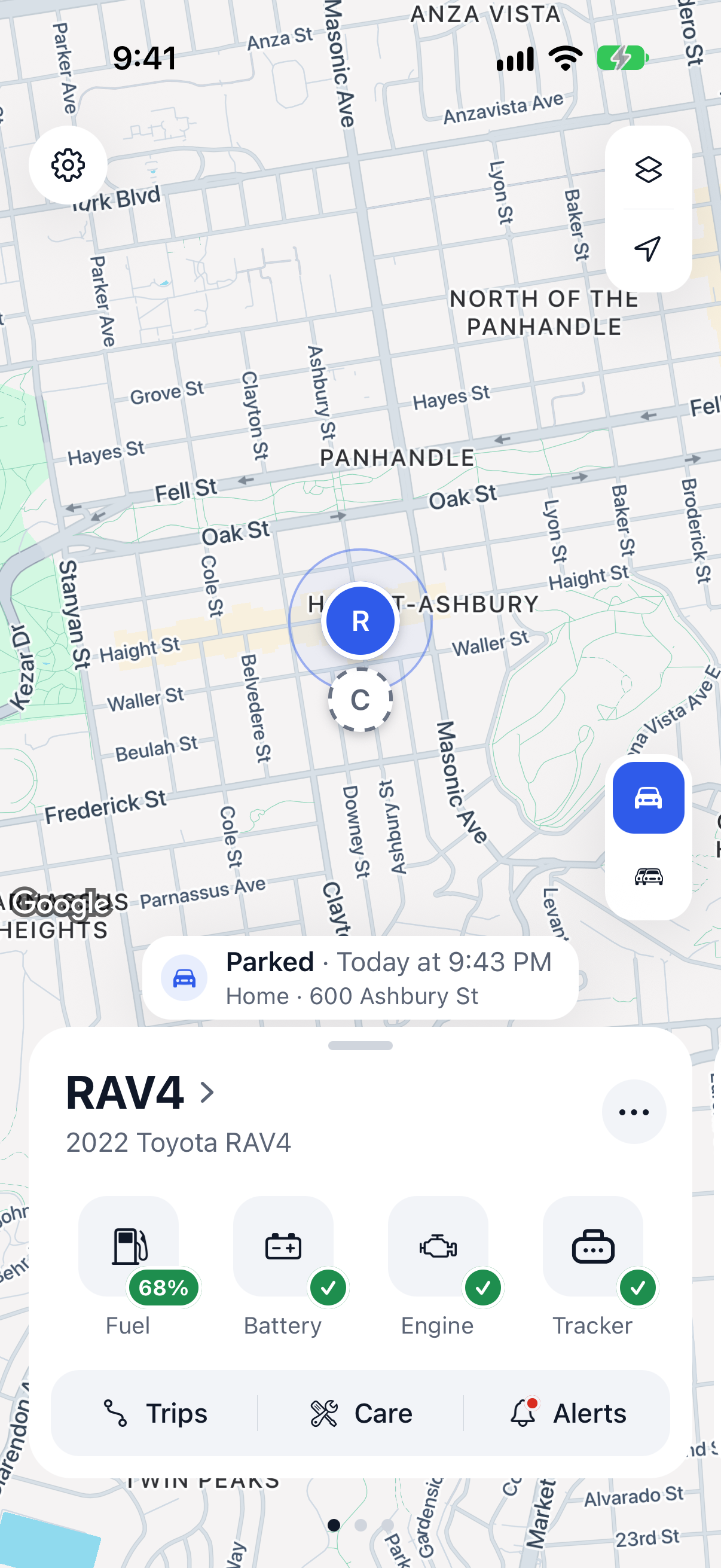
Every car live while it drives, its last known spot when parked.
Trips
Every route, with speeding and harsh driving marked. Share a trip or export a spreadsheet.
Saved places
An alert when a car arrives at or leaves Home, the airport lot or any place you save.
Alerts
Speeding, harsh driving, low battery, low fuel, check engine, tracker unplugged and no recent signal.
Car health
Fuel, battery and engine codes in plain words, where the car reports them.
Care
Maintenance reminders by miles or time, plus service history.
Co-hosts
Share all your cars or chosen ones. Everyone sets their own alerts.
Plans in the app
See every tracker’s plan, end service or resume. Card and receipts open in Stripe.
Set up in three steps.
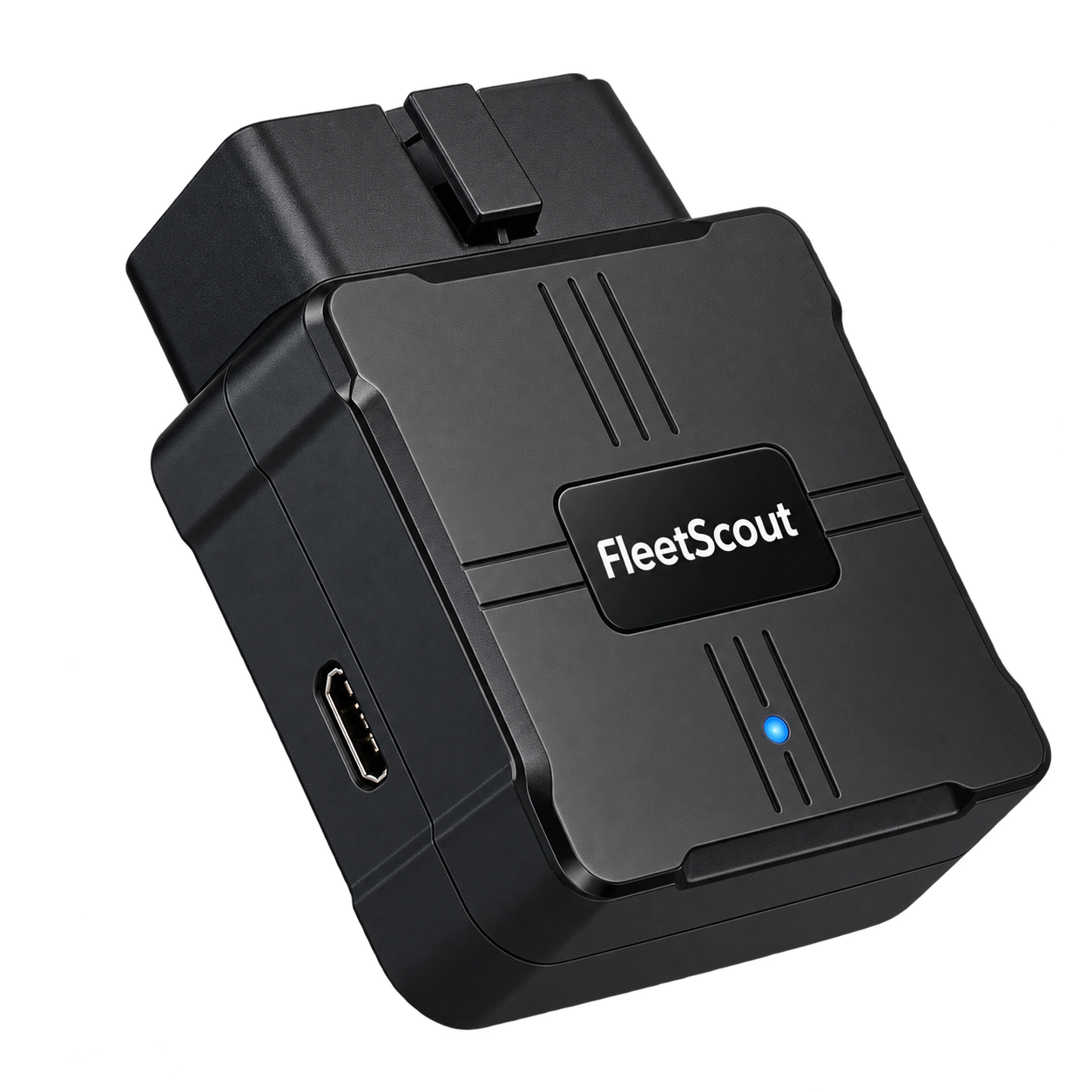
Buy the tracker
One for each car.
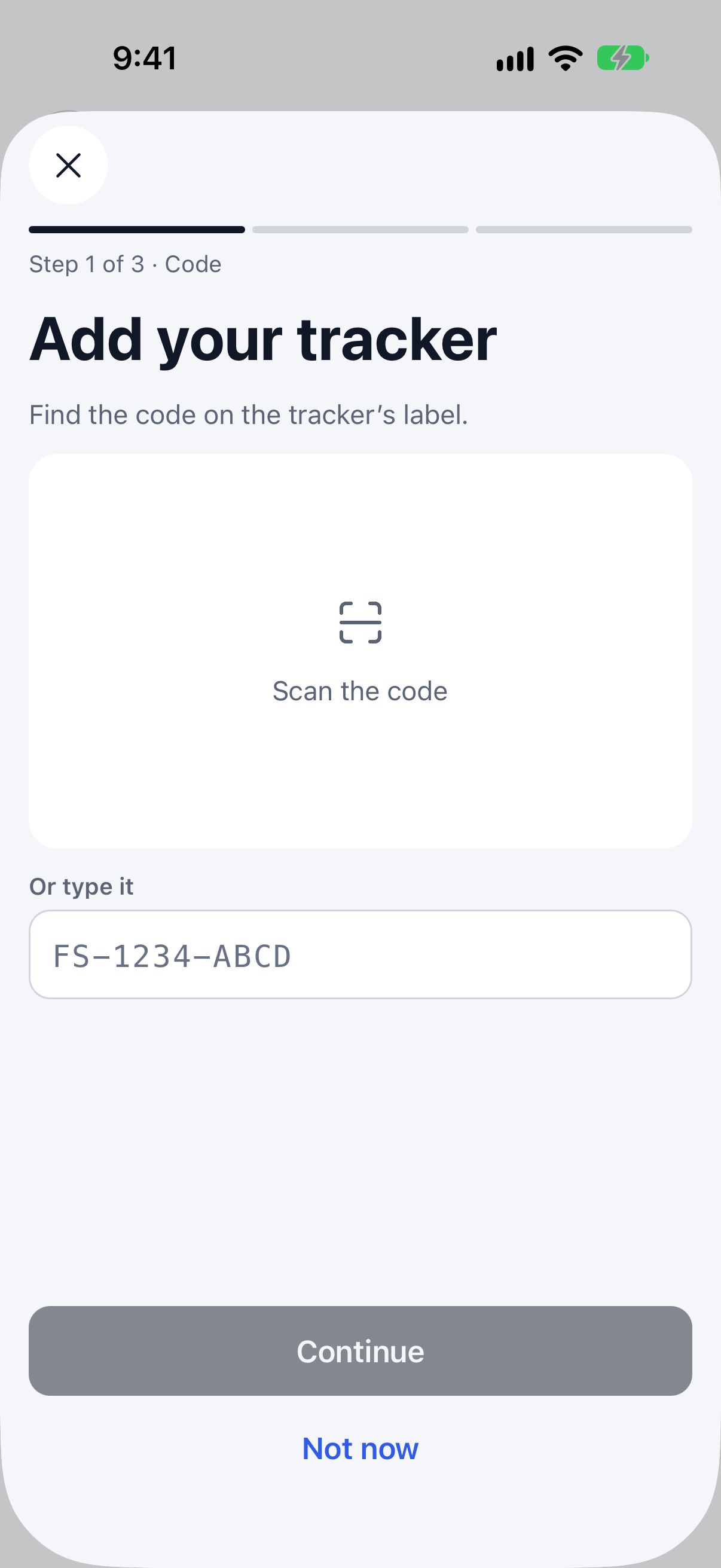
Activate it in the app
Enter the code from the box, then choose monthly or yearly.
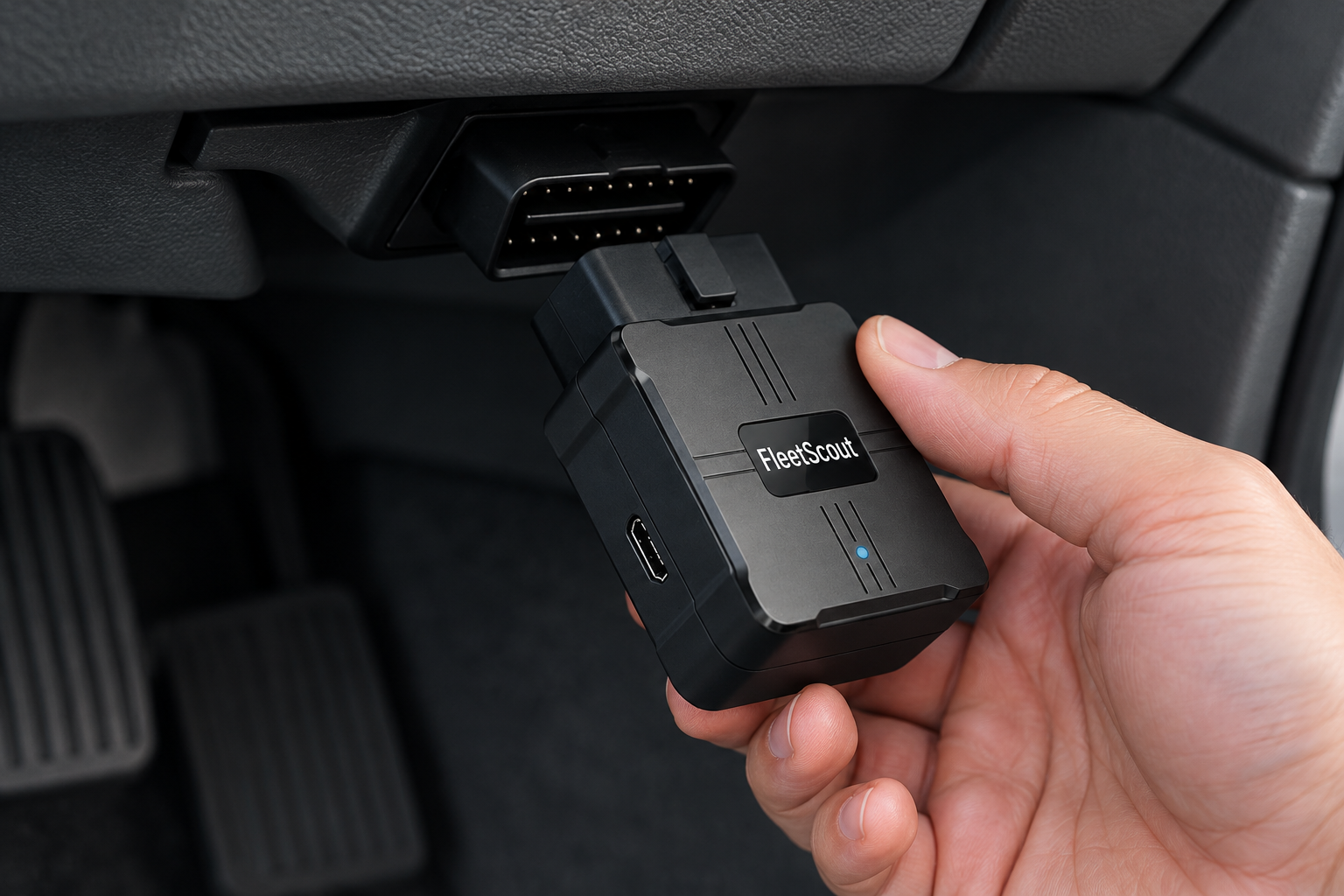
Plug it in
Into the port under the dashboard.
Made for the moments hosts dread.
A car leaves Home when nobody booked it.
Save Home as a place and you get a departure alert, then the live route.
“We never left the city.”
Open the trip: route, miles, speeding and harsh driving, with the times.
A guest unplugs the tracker.
You get an alert and the car’s last known spot.
Everything a car needs, in one plan.
One tracker and one plan per car. No tiers, no add-ons, no activation fee.
The tracker
Plugs into the OBD port in a minute. 1-year warranty.
Its own connection
Built-in cellular. No Wi-Fi, no phone in the car.
Every app feature
Live map, trips, alerts, car health, care, co-hosts.
Monthly or yearly
Starts when you activate. End it anytime online.
- No contract, no activation fee
- 30-day returns
- 1-year warranty
- Cancel anytime online
Hosts on Ruta
“I check all three cars before coffee. When the Civic’s battery dropped, I knew before my guest did.”
Dana R.Rental host · 3 cars · PhoenixSample “Arrival alerts at the airport lot changed my handoffs. I stopped texting guests to ask where they are.”
Marcus T.Rental host · 2 cars · AtlantaSample “My co-host gets her own alerts and I keep mine. Nobody has to forward anything.”
Priya S.Rental host · 5 cars · San DiegoSample
Frequently asked questions
Something else? Email support@rutagps.io and include your order number or the car’s name if it helps.
Buying
How do I buy a tracker?
Buy it on the Ruta website. You can check out as a guest with your email and order 1 to 10 trackers at a time. We ship within the US only.
What do I pay in total?
A tracker for each car, paid once, and a plan for each car, monthly or yearly. The shop adds it up for your number of cars. Shipping cost, delivery time and any tax show at checkout before you pay.
What if I return the tracker?
You can return the tracker within 30 days of delivery. See the shipping and returns page for the steps.
Plans and billing
When does the plan start?
The plan starts the day you activate the tracker, not the day you order, so a tracker in the box costs nothing more. Open the app, add the car, enter the code from the box, choose monthly or yearly, then pay on Stripe.
Can I cancel my plan anytime?
Yes. Choose End service in the app. The tracker keeps working until the end of the period you paid for, and you can Resume until then. There’s no pause, and the current period isn’t partly refunded.
Can I switch between monthly and yearly?
You choose monthly or yearly in the app before you pay on Stripe.
What happens if a payment fails?
Your card is retried automatically and the tracker keeps working meanwhile. If every retry fails, service ends and that renewal isn’t charged. You can update your card anytime from Billing in the app.
Where do I pay?
Plans start in the app and are paid on Stripe’s secure checkout page. Trackers are bought on the Ruta website, also paid on Stripe. Ruta never sees your card number. You can see each tracker’s plan in the app, and your invoices and receipts from Billing in the app.
The tracker
Which cars does it fit?
Most cars sold in the US from 1996 on have the port under the dashboard that the tracker plugs into. If you’re not sure about yours, look under the dashboard or write to [support email].
What if a guest unplugs it?
You get a “Tracker unplugged” alert and the car’s last known spot. When it’s plugged back in, the app shows it reporting again.
Do I have to tell guests about it?
Where the law or your rental platform’s rules require it, yes. You’re responsible for telling renters about the tracker; the Terms of Service say the same.
Does it need Wi-Fi or my phone?
No. The tracker has a built-in cellular connection. It works on its own once it’s plugged in.
Does it work in electric cars?
Location and trips work. Some electric cars don’t report fuel, battery or engine readings, so those details may not appear.
How do I move a tracker to another car?
In the app, move the tracker to another of your cars. The plan belongs to the tracker, so it moves with it.
The app
Can co-hosts use it?
Yes. As the owner, you share all your cars or only chosen ones with people by email. Everyone sets their own alerts. Co-hosts never see billing.
What alerts can I get?
Speeding, harsh driving, low battery, low fuel, check engine, tracker unplugged and no recent signal. They arrive as push notifications and in the in-app inbox. Fuel, battery and engine details show only where your car reports them.
Can I get alerts when a car arrives or leaves?
Yes. Add a saved place, like Home or an airport lot, and you’ll get an alert for each arrival and departure.
Who can see where my cars are?
You, and the co-hosts you share with, for the cars you share. We don’t sell your data. The privacy page explains how we treat location data, what we collect and how to delete it.